SPARTAN CAMERA
AES-256 Encryption Integration
Role Ux / UI Designer
Scope Photo viewing for mobile apps and web portal
Tools Figma, Jira, confluence, Google Docs
Status in Production
Spartan Camera needed a new encryption system for its newest products. The request originally came from a government agency we work with, but the work had to end up simple enough to ship in production firmware for everyday users too.
The task was to have the mobile app and web portal handle encrypted images without permanently storing the encryption key anywhere, and the experience still had to feel seamless for the person looking at their photos.
As the only designer for this project, my job was to design that decryption flow from concept to release. That meant mapping out how users would interact with encrypted images, when the app actually needed to decrypt something, and how to keep the whole process out of the user's way as much as possible.
[ 01 ] App Integration
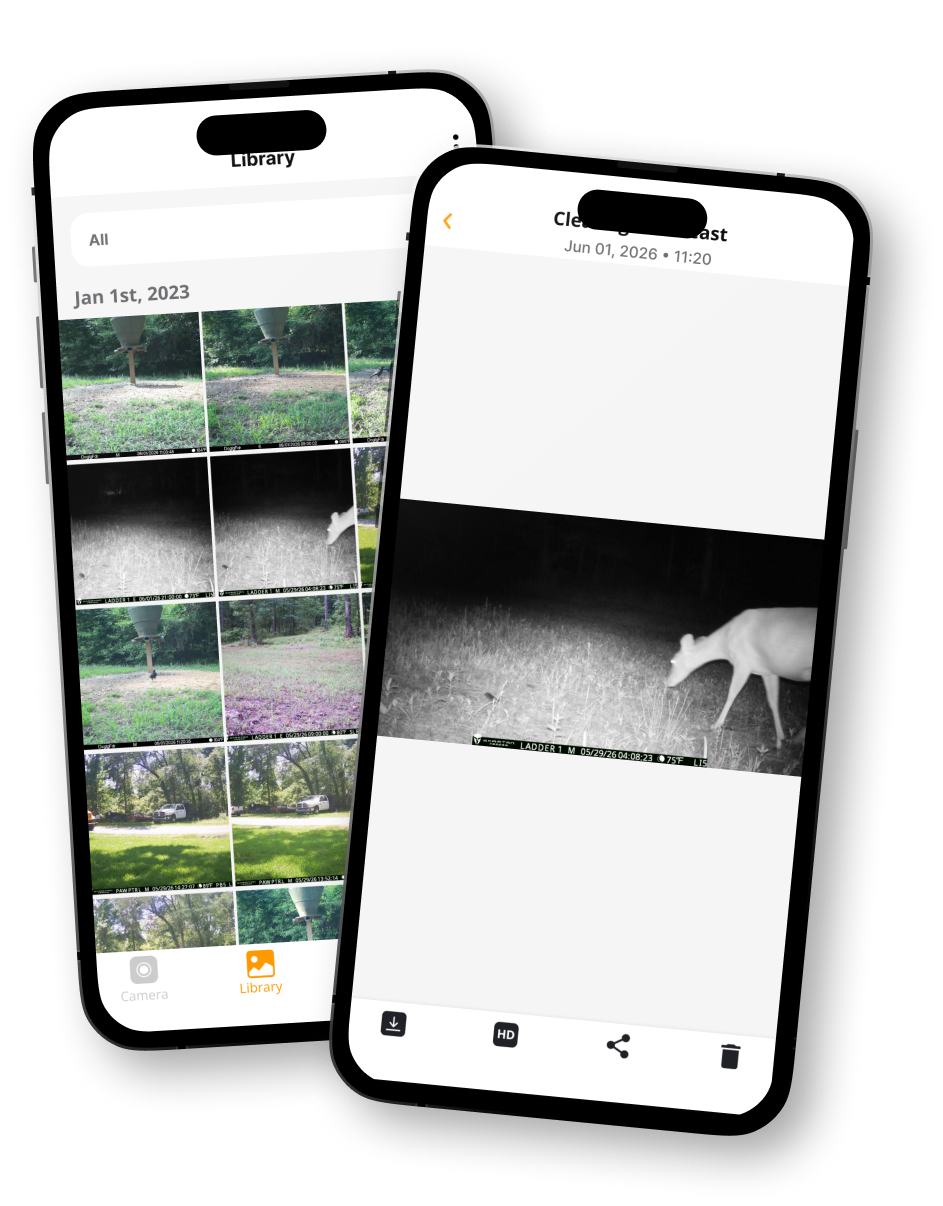
The biggest challenge was making encryption work without making the entire app slower.
If every image had to go through the decryption process, we'd be adding extra processing time to basically everyone, including users who weren't even using encrypted photos.
Fuck that!
So instead of treating every image as encrypted by default, we needed a way for the app to know when decryption was actually necessary.
+++ Solutions +++
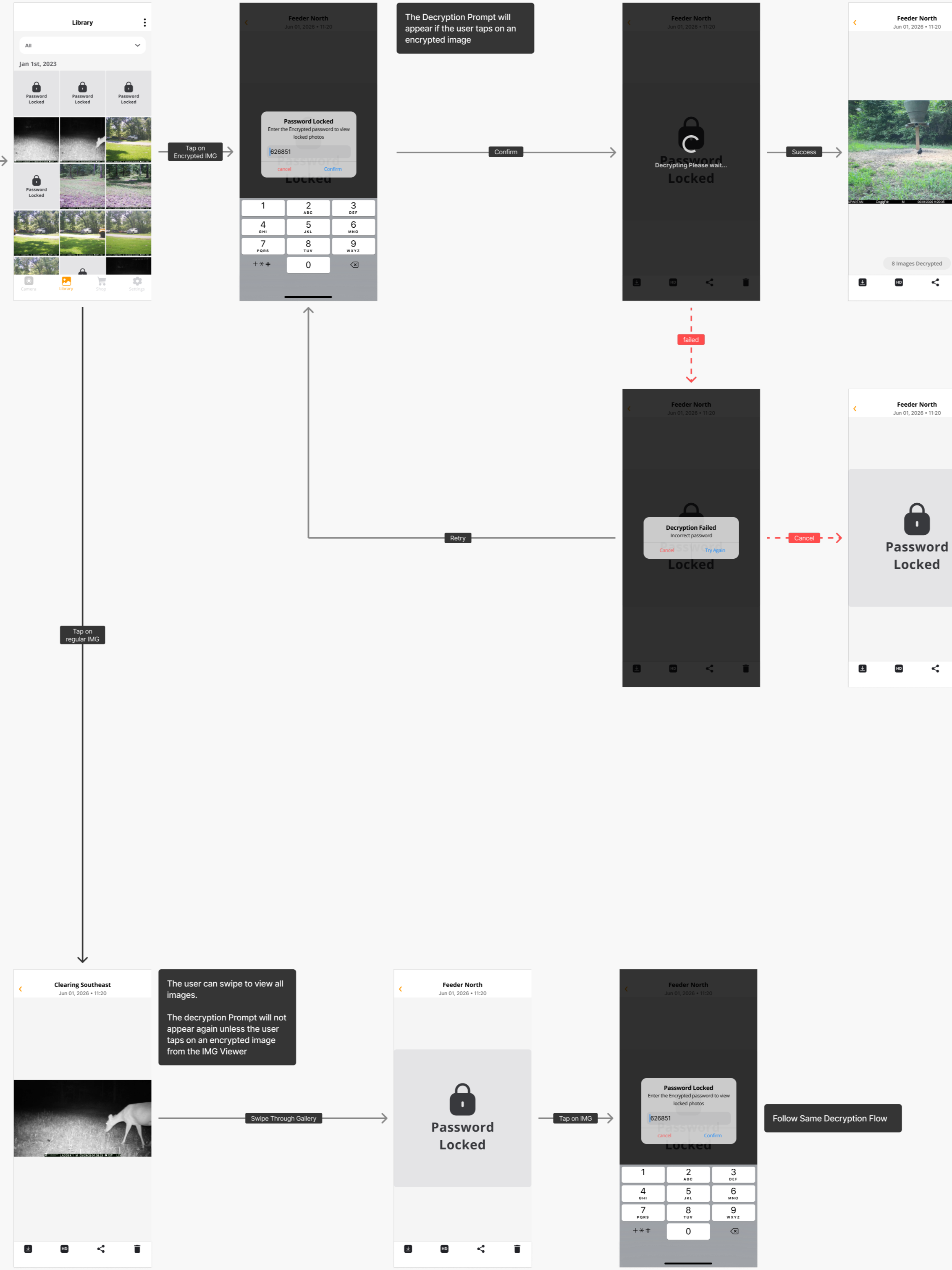
We added a key to the API that tells the app whether the images coming from a camera require decryption.
This key is updated by the camera whenever its encryption setting is turned ON or OFF. That meant the app could check the API response and only run the decryption process when it actually needed to.
Simple!
Having this API key allowed us to run the decryption algorithm only when absolutely necessary, instead of adding a blanket loading time to the entire image browsing experience.
+++ Impact +++
The final solution gave us a way to support encrypted images without making the encryption process everyone else's problem.
Users with encrypted photos could securely receive and view their images inside the app, while everyone else could continue using the app normally without an extra wait.
The cool thing is that most users won't even know the feature is there until they need it.
Kinda how security features should actually feel.